CasaGera
Your Home, Happily in Order
Know what you have, where it belongs, and what needs attention. Keep home supplies, maintenance, projects, and trusted service contacts together in one easy place.
In testing for iPhone. Not yet in the App Store.
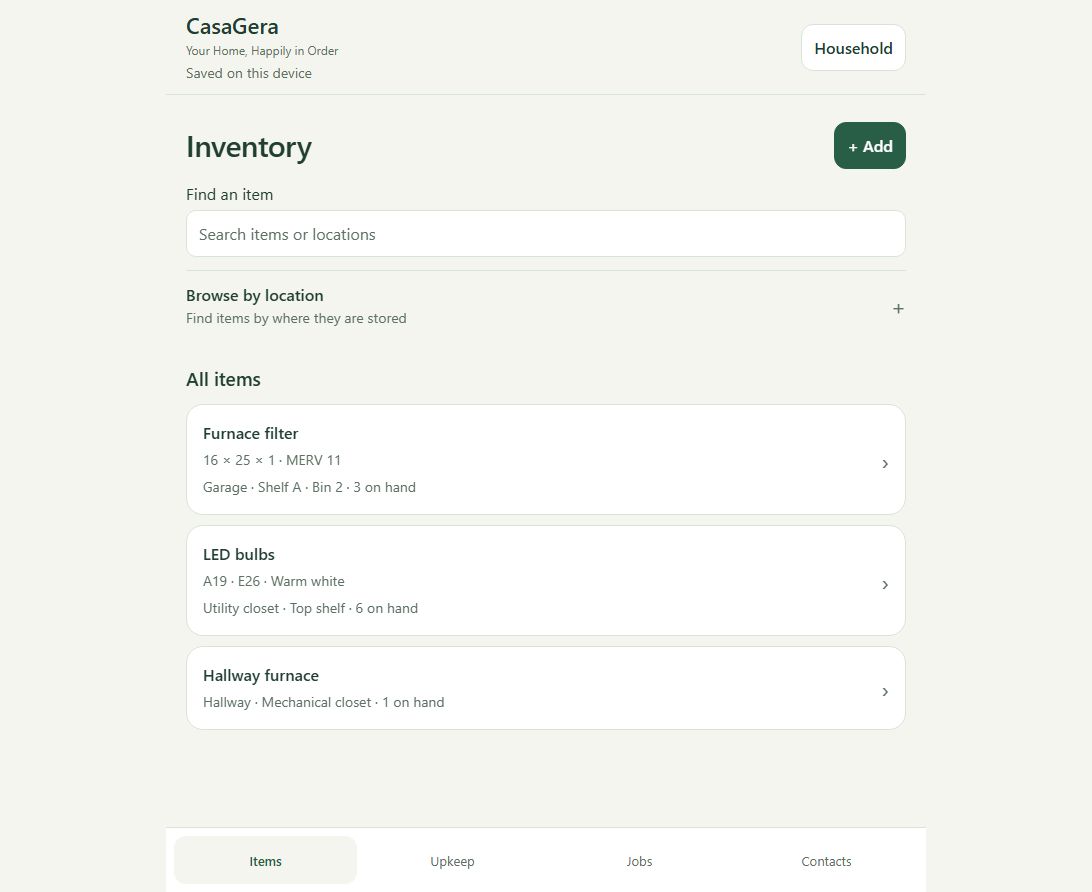
Less searching
Less searching. A little more peace of mind.
From spare bulbs in the utility closet to the last furnace service, CasaGera helps you keep useful home details close at hand.
The spare filter is somewhere in the garage. CasaGera knows it is on Shelf A, Bin 2.
Which bulb fits the hallway fixture? The size and type are saved with the item.
The contractor’s number is buried in old messages. It is linked to the job they did.
Features
The details of home, brought together.
Start with the basics. Add an item, give it a home, and keep the information you need nearby. Expand the details when you need more.
Know what you have
Keep bulbs, filters, spare parts, tools, and home devices together in a searchable inventory. Record quantities and the details that help you choose the right replacement.
Give everything a place
Save a room, shelf, closet, or bin with each item so you can find what you need without searching the whole house.
See when supplies run low
Choose a low-stock level for each supply. CasaGera flags items inside the app when the quantity reaches that level, so you can plan your next restock.
Add items your way
Enter an item manually, attach a photo, or scan a product barcode on iPhone. When a catalog match is available, product details and an image can help you get started. Review the match before saving.
Keep upkeep connected
Link maintenance to the item it cares for. Set a repeating schedule and record the supplies used. When recurring maintenance is completed, CasaGera creates the next occurrence and updates the recorded supply quantity.
Keep a record of the work
Organize jobs and projects with dates, status, notes, and costs. Connect the relevant home item and service contacts so the useful details stay together.
Remember who helped
Keep contractor names, phone numbers, email addresses, and specialties close by. Link one or several contacts to a job or maintenance record and see related work from the contact’s page.
How it works
Three simple steps.
Add what matters
Start with an item name, quantity, and storage location. Add a photo or product details when useful.
Connect the care
Link maintenance or a job to the relevant item and choose any service contacts involved.
Keep the record useful
Update quantities, review low stock, and record completed work as life at home changes.
App preview
Things, tasks, and the people who help.
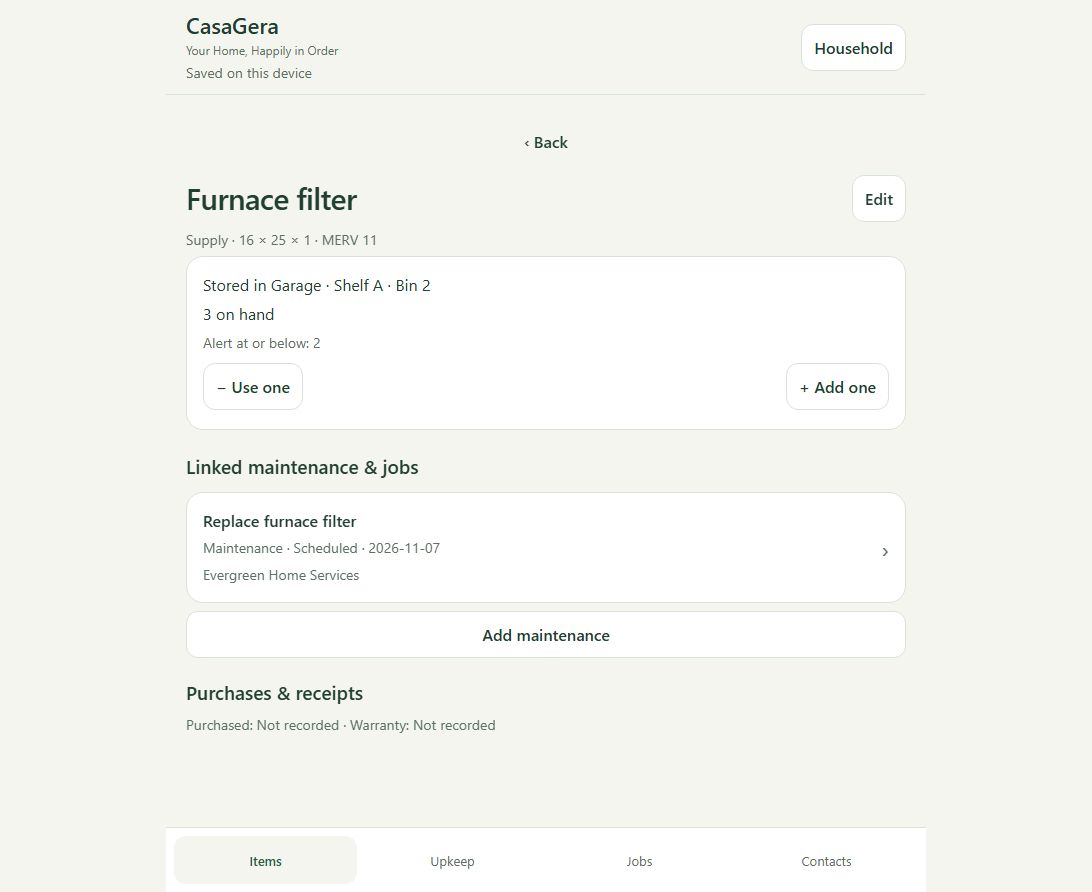
The right details, right where you need them.
Each item keeps its stock controls, a low-stock level, linked maintenance, and purchase information together.
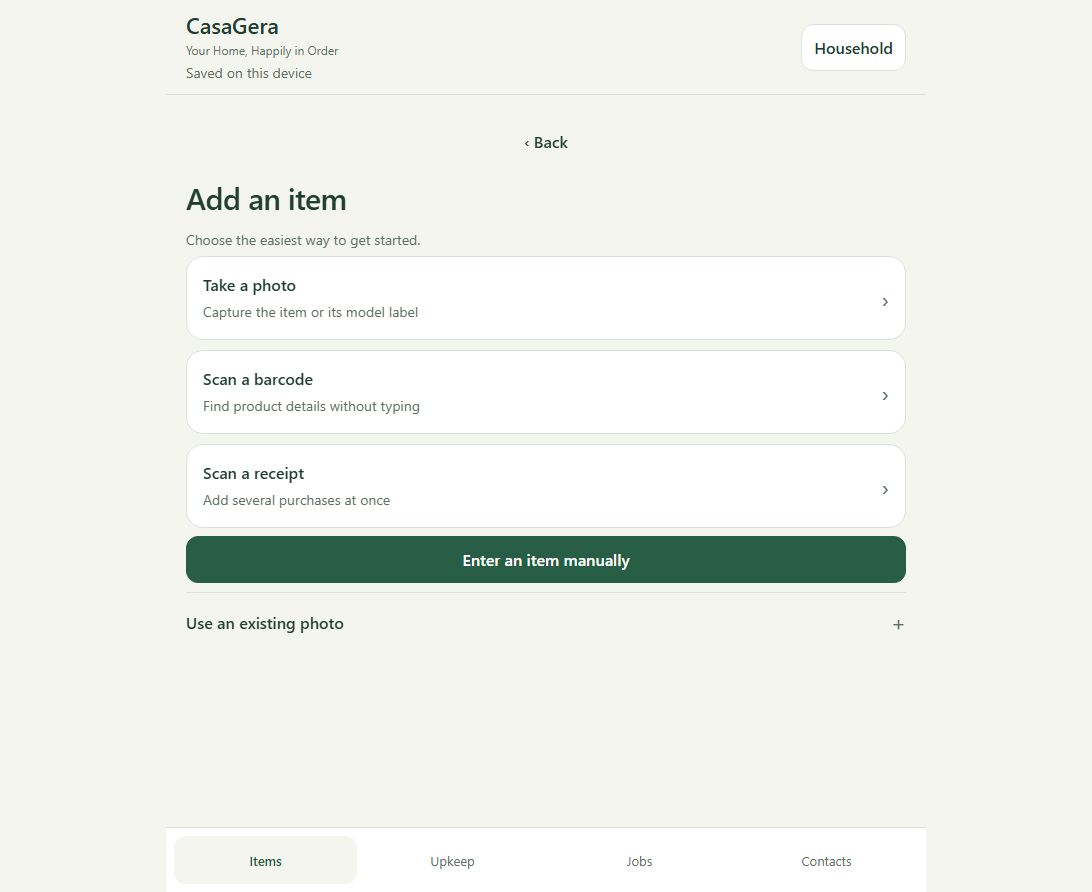
Start with the easiest way to add.
Type it in, attach a photo, or scan a barcode on iPhone. Receipt scanning appears in the app but needs service setup before it is available.
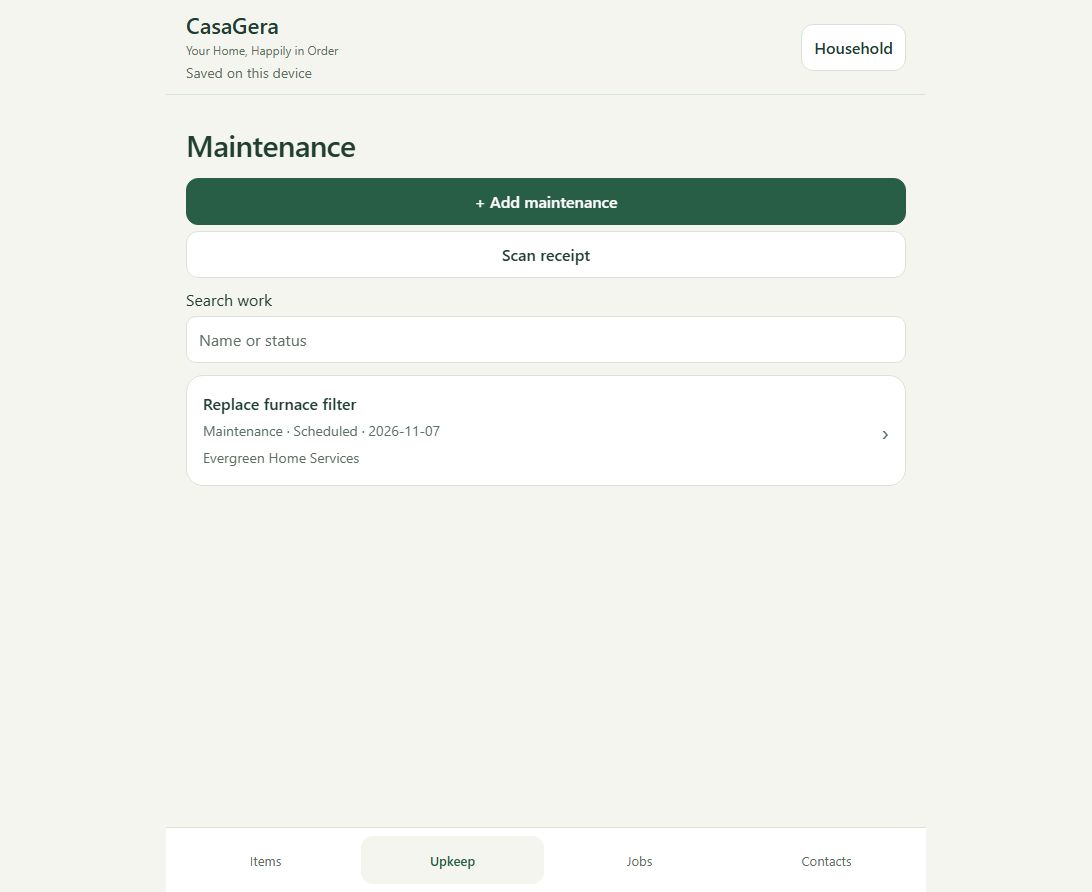
Keep the next task in sight.
Scheduled maintenance lives in one simple list, so the next job is never a surprise.
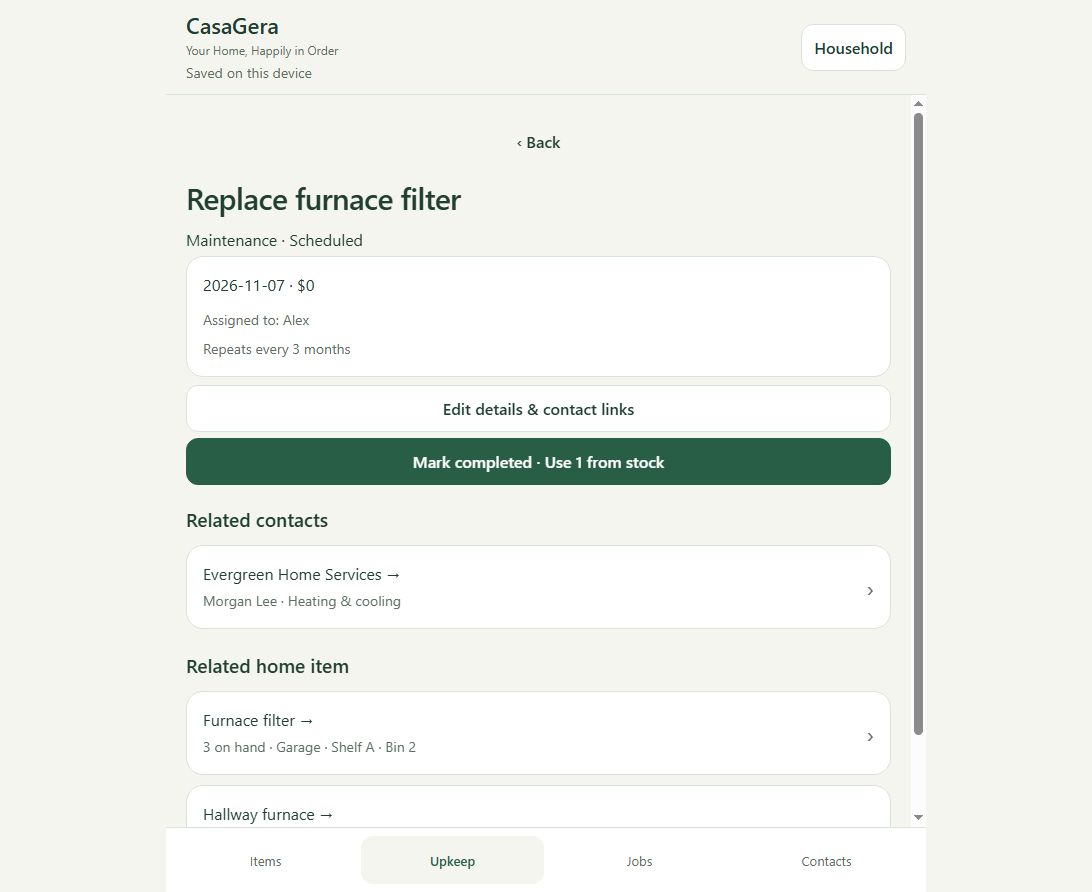
Connect the task to the things and people it needs.
Set how often it repeats, who it is assigned to, which supplies it uses, and which contacts and items it relates to.
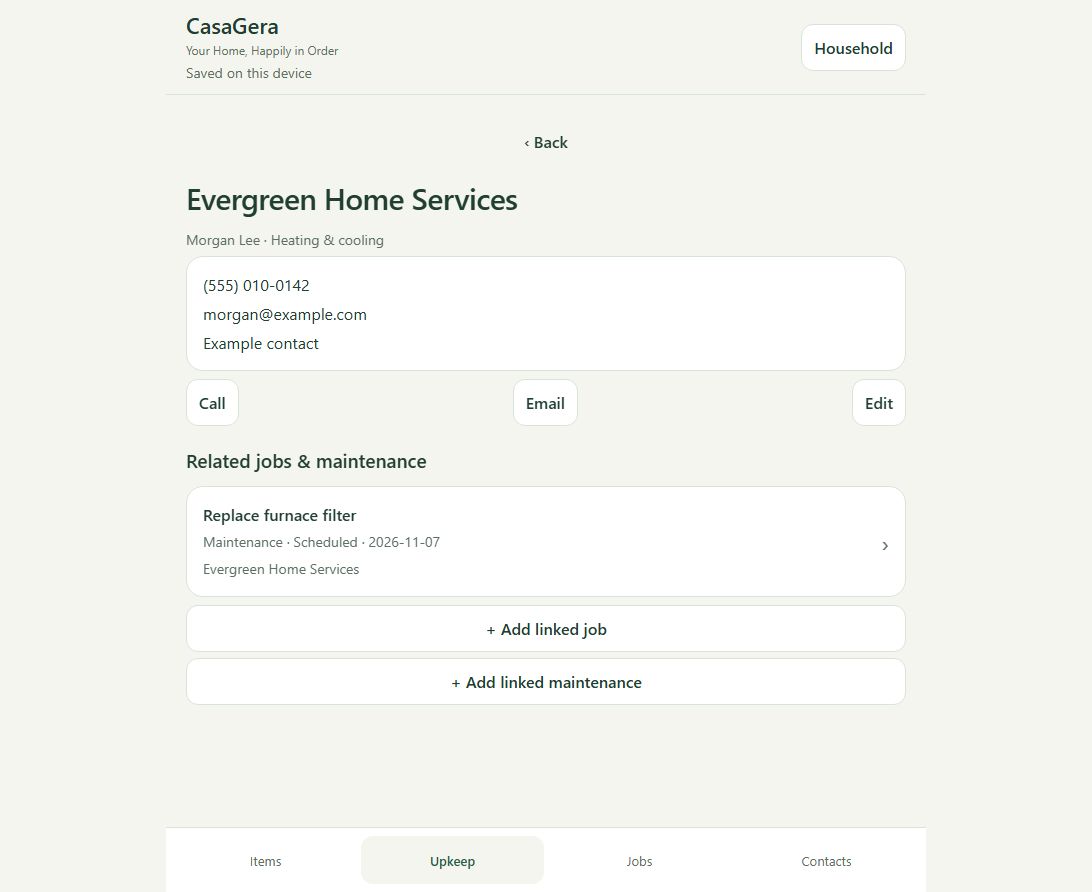
Keep trusted help and its history together.
Call or email in a tap, and see every job and maintenance record a contact has been part of.
Screens are from the current browser preview using built-in example records. All names and contact details shown are examples.
Questions
Common questions
What can I keep in CasaGera?
Supplies, spare parts, devices, and other home items, along with where they are stored, how many you have, and any useful purchase or maintenance details.
How do low stock alerts work?
Set a threshold on an item. At or below that quantity, the item is flagged inside the app. Version 1.00 does not send push notifications or email reminders.
Does every barcode find a product?
No. Barcode lookup needs an internet connection and depends on the external catalog’s coverage and limits. You can keep the barcode and enter the item details yourself.
How are upkeep and jobs related?
Maintenance is a type of work record. Upkeep shows maintenance records; Jobs includes jobs, projects, and maintenance. Completing the same maintenance record updates both views.
Can I use it with my household?
Shared household access is planned through the optional sign-in service and requires setup and testing. The current local mode stores records on one device.
Is CasaGera in the App Store?
Not yet. The current build is being tested. Public release timing and pricing have not been announced.
Launch updates
Make room for a more organized home.
CasaGera is taking shape. Follow along as we make it easier to manage the things, tasks, and people behind a well-kept home.